Trainer Settings
Your account settings, split into three tabs: Profile, Login, and Plan.
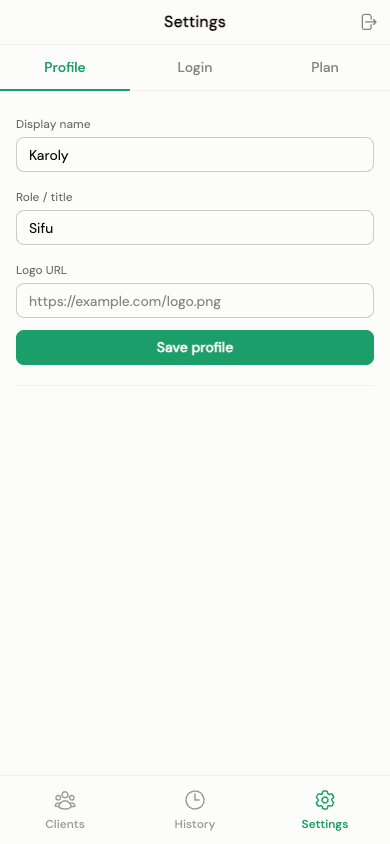
- Display name and role/title — shown to clients on their Client Public View
- Logo URL, with a live preview — replaces your name/role on client pages once set
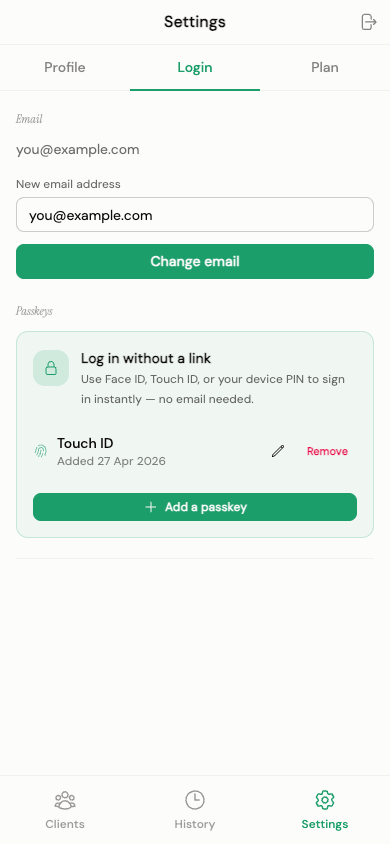
- Change email — sends a magic-link confirmation to the new address. For security, this requires you to have signed in recently ("sudo mode"); if it's been a while, you'll be asked to re-authenticate first.
- Passkeys — add, rename, or remove passkeys (Face ID, Touch ID, Windows Hello, or your device's biometric unlock) for faster sign-in.
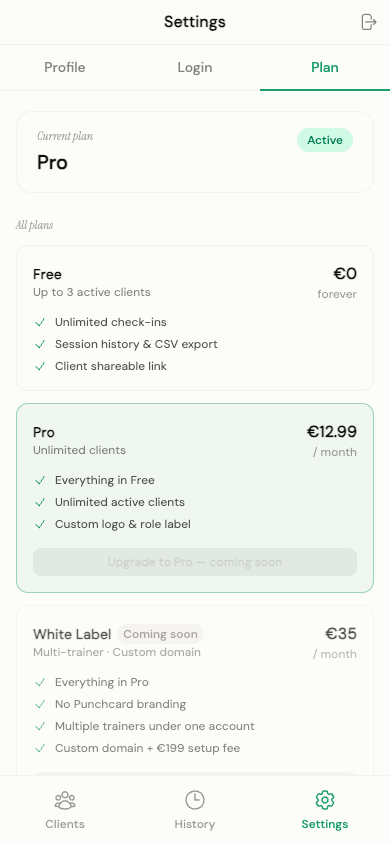
- Your current plan (Free, Pro, Pro trial, or White Label) and its status
- A trial countdown if you're in your 14-day trial
- A grace period notice if a subscription lapsed — after 7 days, your oldest clients beyond the free-tier limit become read-only
- A usage meter showing active clients used out of the free-tier limit (3)
- A full comparison of Free / Pro / White Label plans — see current pricing
In-app upgrading isn't live yet — "Upgrade" and "Update payment" are shown as coming soon. The billing flow itself is fully built and is waiting on a pending payment-provider approval before it's switched on; it's not something still being developed.