Dashboard
The Dashboard is your home screen — a list of every client, their balance, and when they last checked in.
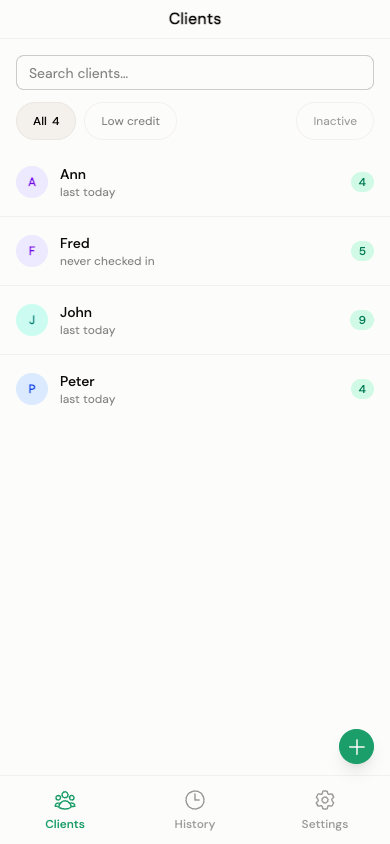
The client list
Each row shows the client's avatar (initials, with a deterministic color per client), their name, when they last checked in ("last today", "last yesterday", "last Tuesday", or a full date for older visits), and a balance pill:
| Balance | Pill color |
|---|---|
| More than 3 sessions | Green |
| 1–3 sessions | Amber |
| 0 or fewer | Red |
A lock icon next to a client means their account was automatically switched to read-only because your active client count went over the free-tier limit after a plan downgrade — see the Plan tab in Trainer Settings.
Search and filters
Use the search box to filter the list by client name as you type. Filter pills narrow the list further:
- All — every active client, with a count
- Low credit — clients with 3 or fewer sessions left
- Inactive — clients you've marked inactive (paginated, 15 per page)
Adding a client
Tap the + button to open the add-client form:
- Name (required)
- Starting balance — how many sessions they're prepaying for
- Allow overdraft — whether this client can check in below zero (see Client Page → overdraft)
Free plan limits
The Free plan supports up to 3 active clients. If you try to add a fourth, you'll see a message asking you to upgrade — see current plans and pricing. In-app upgrading is coming soon; Punchcard's billing is built and waiting on a pending platform approval before it goes live.